Written by: Ryan Dunlop, CEO and Founder of Full Arch Masters and graduate from the Harvard School of Dental Medicine
Key Takeaways
-
Role-based training sequences matter because front desk, billing, clinical, and office manager positions each use different platform features and need different formats and time commitments.
-
Training in the order staff actually use features, instead of following vendor manuals, produces faster adoption and prevents teams from forgetting broad, one-time trainings.
-
Free vendor video libraries cover navigation, scheduling, and many billing and insurance topics, including billing setup, patient statements and payments, claims creation and processing, fee schedules, and revenue-cycle workflows.
-
Supervised practice on real scenarios still drives billing accuracy, insurance workflows, and charting depth, so free libraries work best as a foundation rather than a complete solution.
-
Software competence in one role without team alignment limits practice output. An untrained role becomes the ceiling on a trained one, which makes whole-team workflow training the missing link for many practices.
-
Full Arch Masters is the best dental office software training partner for practices that need their whole team productive on one workflow because it trains the dentist, assistant, treatment coordinator, and lab technician together on a single integrated system, its main courses carry AGD PACE-approved CE credits (generally 32 per course), and alumni keep a continued community and a KOL (Key Opinion Leader) buying group at no recurring cost.
See upcoming Full Arch Masters course dates
The Role-by-Role Software Training Guide
This section replaces a comparison table with short role snapshots so practice owners can scan quickly and assign the right training path to each team member.
Front Desk, Scheduling, And Recall
-
Scheduling new and existing patients
-
Check-in and check-out workflows
-
Recall and reappointment management
-
Basic patient communication
Use the free vendor video library for navigation and basic scheduling, then add live remote or in-person sessions for supervised scheduling practice. Plan on 8–16 hours total, combining free content with roughly $75–$80 per hour for any additional online training.
Billing And Insurance
-
Insurance eligibility verification
-
Claim submission and follow-up
-
Payment posting and accounts receivable management
-
Denial management and reporting
Rely on live remote or in-person training for billing depth because claim accuracy depends on supervised practice. Expect 12–20 hours for a new billing hire, using free libraries for basics, $75–$80 per hour online sessions, and occasional multi-thousand-dollar per-day on-site training for full billing team rollouts.
Clinical Charting And Treatment Planning
-
Perio charting and clinical note entry
-
Treatment plan creation and presentation
-
Imaging integration and attachment
-
Medical alert review
Assign self-paced video for navigation, then schedule in-person or live remote sessions for charting accuracy and imaging bridge setup. Most teams reach baseline competency in 4–8 hours, with free libraries plus $75–$80 per hour for supervised charting practice.
Office Manager And Administrator
-
Reporting and analytics configuration
-
User access and permissions management
-
Fee schedule and insurance plan setup
-
End-of-day and month-end reconciliation
Combine live remote or in-person training with self-paced video for reporting navigation. Plan for 4–8 hours, using free vendor libraries plus $75–$80 per hour online sessions and, when needed, multi-thousand-dollar per-day on-site support for full-team rollouts.
The sequence behind these role plans matters as much as the content. Train in the order staff use features and complete role-based training at least one week before go-live so the team does not learn on live patients. Name one super user per role so peers have a clear contact for questions during the first weeks. On day one, each role should run exactly one core screen unaided, such as the schedule for the front desk and the chart for clinical staff, while deeper billing work waits until week two.
How To Train A New Front-Desk Hire In 30 Days
This 30-day plan builds front-desk competency in the order tasks appear during a real patient day so the new hire gains confidence step by step.
-
Days 1–5 — Platform Orientation And Navigation. Cover the schedule view, patient search, appointment booking, and check-in workflow. The test is simple: the hire can find a patient, book an appointment, and take a payment without help while a patient is present.
-
Days 1–5 — Shadow A Live Scheduling And Recall Cycle. Have the hire observe a full patient day from first call through checkout, noting where the platform hands off between roles. Run a mock patient through booking, check-in, checkout, and follow-up so they see every handoff clearly.
-
Days 6–10 — Insurance Eligibility And Claim Submission Basics. Introduce eligibility verification, basic claim creation, and payment posting. Hold billing depth, daily reconciliation, and reporting for this second block so the hire can focus on core front-desk tasks first.
-
Days 11–20 — Charting And Note-Entry Practice On Training Data. Use a test environment so the hire can enter clinical notes and attach images without touching live records. Real confidence comes from practicing the tasks they perform every day, not from generic product tours.
-
Days 21–29 — Supervised Live Queue With A Checklist. Move the hire into the live schedule with a super user available for escalation. Use a written checklist that covers every step from arrival through claim submission so nothing gets skipped under pressure.
-
Day 30 — Competency Review. Assess cultural fit, system competency, and early performance indicators at the 30-day checkpoint. Front office roles typically reach full productivity around day 75, so this review catches gaps early enough to correct them.
After day 30, keep a 10–15 minute weekly huddle that reviews an issue log and routes recurring errors to targeted refresher training.
That sequence covers the front desk. The questions below address the points practice owners raise most often when planning software training for the rest of the team.
Dental Office Software Training Questions, Answered
Can You Learn Dental Office Software At Home?
Self-paced video libraries and free vendor resources cover platform navigation and basic scheduling workflows well enough for a motivated learner to build foundational competency remotely. Dental office software training for beginners fits these formats for orientation. Live or in-person formats still produce better outcomes for billing accuracy, charting depth, and insurance claim workflows, where supervised practice on real scenarios builds lasting confidence.
How Hard Is It To Learn?
Navigation comes quickly, and most front-desk staff can find a patient, book an appointment, and process a payment within a day or two of focused practice. Insurance, charting, and reporting require weeks of supervised work before a team member becomes truly independent. Billing staff face the steepest learning curve because claim errors and denial patterns only appear after real claims cycle through.
What Free Training Exists?
Vendor video libraries, recorded webinars, and help-center documentation are available for most major platforms at no cost. These resources work well for navigation orientation and basic scheduling. They remain thin on workflow integration, so they rarely show how front desk, billing, and clinical roles hand off to each other, and they do not provide the supervised practice that billing and charting accuracy require. That gap matters more when staff turn over, because every new billing hire must relearn a library that never covered the hardest parts.
Online Vs. In-Person?
Online formats such as self-paced video and live remote sessions suit individual onboarding, especially for navigation and scheduling. In-person or live remote team sessions work better for billing depth and any workflow that depends on handoffs between roles. Role-based scenarios and an end-to-end patient-day rehearsal, where the whole team walks a mock patient from booking through claim submission, create faster adoption and fewer go-live errors.
Why Software Training Alone Does Not Scale A Practice
Even a well-run training plan runs into a structural limit. The failure mode is consistent and well-documented: an office manager or billing lead completes a vendor certification, returns to the practice, and finds that the software now runs scheduling and billing while consults, records, and lab handoffs stay manual. The platform performs well, but the team remains misaligned. Case acceptance and patient retention depend on the whole team, so an untrained role caps the impact of a trained one.
Vendor portals, association certificate tracks, and free video libraries all share the same limit: each certifies one person on one platform. None of them trains a whole team on one integrated workflow, and none reaches the clinical and lab side of the practice. The trade-offs show up in scope, focus, and coverage, along with recurring membership fees for some training libraries.
Full Arch Masters addresses this directly. Its full-team training model brings the dentist, lead assistant, treatment coordinator, and in-house lab technician through the same curriculum so the practice leaves aligned on a single operating system instead of a set of individually certified employees.
The curriculum follows the FAM Method, FAM’s proprietary digital workflow, which integrates seven steps into one repeatable system:
-
Preoperative records and data acquisition
-
Photogrammetry and intraoral scanning
-
CBCT and digital treatment planning
-
exocad design
-
Immediate-load conversion
-
Final zirconia design and finishing
-
FP1-specific design, team implementation, and workflow scaling
Main courses carry AGD PACE-approved CE credits, generally 32 per course, and the Fellowship totals 90+ CE hours across the full program. Every attendee joins a continued alumni community: private group chats with hundreds of FAM-trained dentists, lab technicians, and team members. Alumni also keep KOL (Key Opinion Leader) buying group access at no recurring cost, plus a digital resource library covering surgical room setup, finishing techniques, treatment coordinator forms, and consent templates. Alumni report adding $1M+ per year in practice revenue after adopting the FAM Method, based on FAM’s reported alumni figures.
Train your whole team on one workflow
Common Pitfalls And How To Avoid Them
Most software training problems fall into a few patterns that practice owners can prevent with simple systems.
-
Training One Role In Isolation. A certified billing lead returning to an untrained clinical team cannot change practice output. Sequence training across roles so each handoff works.
-
Skipping Insurance And Charting Depth. Navigation training alone does not produce billing accuracy. Claim submission and denial management require supervised practice on real scenarios.
-
Relying Only On Free Video Without Supervised Practice. People retain only 10–20% of a single training session without structured reinforcement. Free libraries serve as a starting point, not a complete training program.
-
No Competency Checklist. Without a written standard, there is no clear way to decide whether a team member is ready for the live queue or still needs supervision.
-
No Post-Training Peer Support. Treat the first 90 days as real onboarding because the decision to stay and the decision to adopt a new workflow both happen in that window.
-
Treating Software Training As A One-Time Event. Staff turnover means the onboarding system runs continuously, so a training program that lives in one person’s head gets rebuilt with every new hire.
Advanced FAQ For Practice Owners
How Long Does It Take To Train A Front-Desk Hire?
Basic navigation and scheduling competency usually develops within the first week of focused, role-based training. Full productivity, including insurance verification, claim submission, and recall management, generally takes until around day 75 for front-office roles. The 30-day and 60-day checkpoints give you natural moments to find and close gaps before they become habits.
Is Free Training Enough?
For platform navigation and basic scheduling, free vendor video libraries provide a reasonable starting point. For billing, insurance, and charting workflows, where errors cost the most, free resources do not stand alone. Supervised practice on real scenarios, with a named super user available for escalation, produces durable competency in these areas.
Should The Dentist Attend Software Training?
Dentists who skip software training create a gap between how they document and how the billing team submits claims. Clinical notes that do not match claim requirements drive denials. A dentist who has not seen the platform’s treatment planning and charting workflows also struggles to delegate effectively, which is where chair-time efficiency is won or lost.
What Is The Difference Between Platform Training And Workflow Training?
Platform training teaches a team member where the buttons are, how to navigate the schedule, and how to submit a claim. Workflow training shows the whole team how their individual tasks connect into one patient journey, from first call through final claim. Platform training produces individual competency, and workflow training turns that competency into practice productivity. Growing practices invest in both, in that order.
Does Full Arch Masters Training Include CE Credits?
Full Arch Masters is an AGD PACE-approved CE provider. Main courses generally carry 32 CE credits per course, and the Fellowship program totals 90+ CE hours across the full curriculum.
Can Lab Technicians And Treatment Coordinators Attend?
Team-member pricing is built into every Full Arch Masters course. The full-team training model sits at the center of the pedagogy, so most practices attend as a dentist with their treatment coordinator, lead assistant, and in-house lab technician. The Design and Finish Course focuses on lab technicians, and the Treatment Coordinator Bootcamp focuses on front-office and TC team members.
What Happens After A Full Arch Masters Course Ends?
Every attendee joins the continued alumni community, which includes private group chats with hundreds of FAM-trained dentists, lab technicians, and team members for case help and system questions. Alumni also retain KOL buying group access at no recurring cost, with vendor discounts on implants, software licenses, 3D printers, and other equipment. The digital resource library, covering surgical room setup, finishing techniques, treatment coordinator forms, and consent templates, becomes available immediately after the course.
Conclusion And Next Steps
Dental office software training works best as a role-by-role plan before it becomes a platform decision. Practices that get teams productive quickly train in role-based sequences, finish training before go-live, name a super user per role, and treat the first 90 days as structured onboarding. Practices that scale beyond basic competency align every role, including dentist, assistant, treatment coordinator, and lab technician, on one integrated workflow.
Full Arch Masters trains the dentist, assistant, treatment coordinator, and lab technician together on one system, which turns individual software skills into measurable practice output.
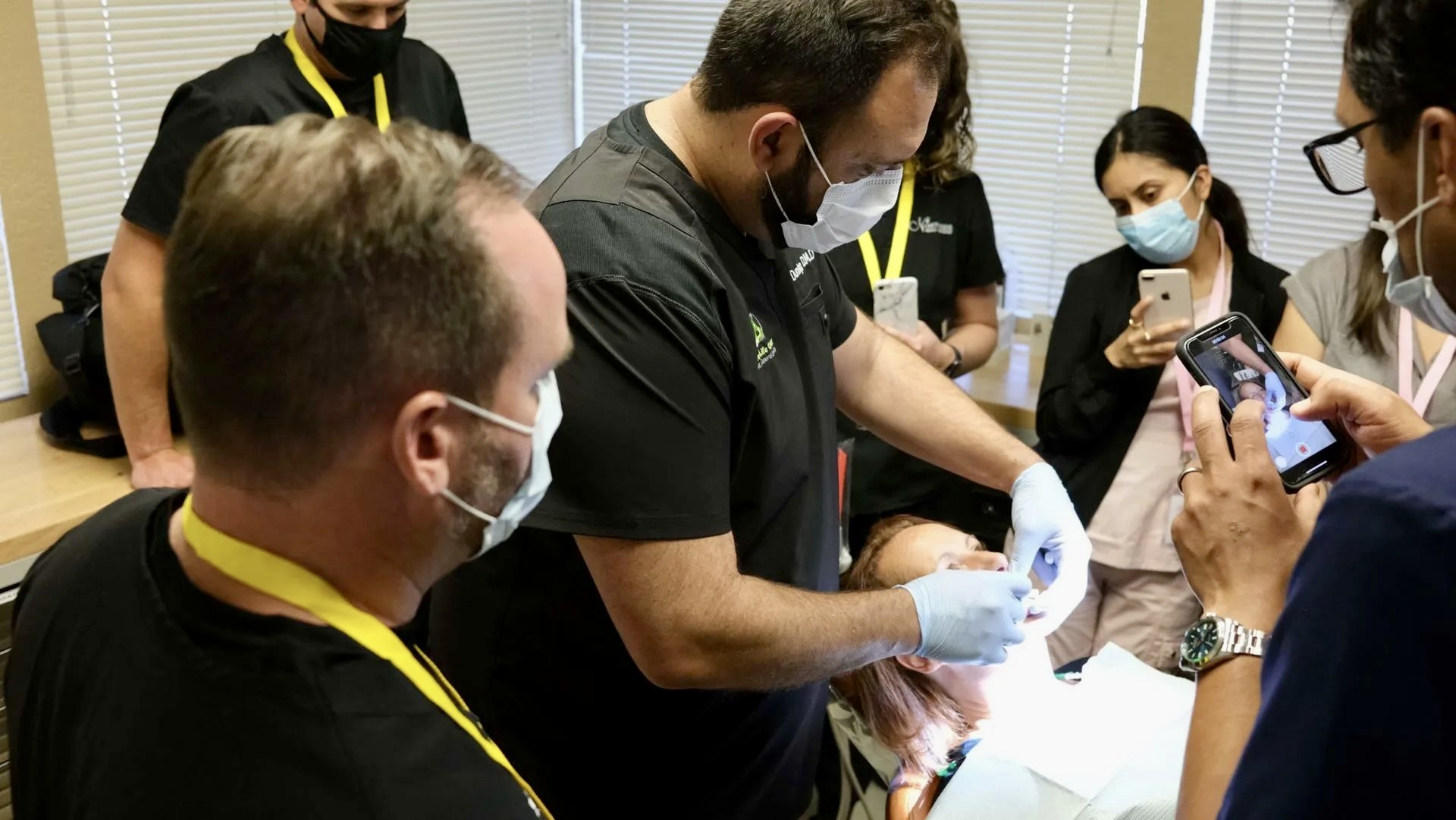
The next steps for any practice include auditing current platform usage by role, building a 30-day onboarding checklist using the sequence above, and aligning clinical, lab, and front-office training on one workflow instead of certifying individuals separately. Practices ready to move from platform competency to full-team workflow execution can use Full Arch Masters as their starting point.
See Full Arch Masters course options
For practices that want to close more full-arch and high-ticket cases while strengthening team workflow, the Full Arch Masters Treatment Coordinator Bootcamp trains practice teams on the closing system FAM uses in-house, where the in-house treatment coordinator maintains an 80% closing rate, and gives front-office teams a clear path to convert more consultations into accepted treatment.